AI now handles most of the mechanical work in a YouTube edit: transcription, silence removal, captions, rough cuts, and clip selection. A practical stack of Descript, OpusClip, ElevenLabs, and Submagic costs $91 a month on monthly billing. You still own the pacing, the story, and the hook.
The short answer: Descript is the best overall choice for talking-head and podcast edits, Gling for rough cuts of long recordings, OpusClip for Shorts, and CapCut Desktop as the best free option.
We place dedicated editors for creators and founders, and we have used most of these tools ourselves. We checked every price on September 27, 2026.
Want an editor who actually sticks around?
We place dedicated YouTube video editors from the Philippines and South Africa, matched to your channel. Flat monthly, long-term, no rotating freelancers.
The 10 Tools at a Glance
These tools are grouped by job. Prices were checked on September 27, 2026. Each price is monthly unless marked annual or one-time.
| Tool | Best for | Price (2026) | Free tier | The catch |
|---|---|---|---|---|
Professional finishing in a full NLE | $22.99/mo, annual plan billed monthly; Creative Cloud Pro $69.99/mo | 7-day trial | Generative features use monthly credits | |
Color and professional finishing | $295 one-time | Free Resolve version | Neural Engine features require Studio | |
Talking-head and podcast editing | $16/mo annual or $24/mo monthly; Creator $24 annual or $35 monthly | 1 hr/mo, 100 one-time credits | Media hours and AI credits are capped | |
Automatic rough cuts for long-form dialogue | $10/mo annual or $20/mo monthly | 1 hr, watermarked | Free exports have no XML export | |
Turning long videos into Shorts | $15/mo monthly; Pro $14.50/mo annual or $29 monthly | 60 credits/mo | Credits limit processing and exports | |
Short-form captions and polish | $12/mo annual or $19/mo monthly | Free trial | Long videos require the Business tier | |
Free short-form finishing | Free download; paid Pro price varies, check in the app | Free download | Pro pricing was not published on the checked vendor page | |
Voice cloning and dubbing | Starter $6/mo; Creator $22/mo; annual billing gives two months free | 10,000 credits/mo | Credit use can rise quickly with regeneration | |
Generative video and visual effects | Standard $15/mo monthly or $12/mo annual; Max $95 monthly or $76 annual | 125 one-time credits | Generation is billed by output seconds | |
Multicam podcast and interview rough cuts | $10 for 1,000 credits, up to $350 for 50,000 credits | 1,000 credits | No subscription, but usage still needs estimating | |
Upscaling and archival restoration | Personal $59/mo or $299/year; Pro $74/mo or $699/year | None captured | Commercial use requires Pro |
1. Adobe Premiere Pro 26: The Pro Standard Now With AI Built In
Adobe Premiere fits if you already finish in a professional timeline and want AI features without moving the project elsewhere. Version 26.0 arrived in January 2026; version 26.5 was current when we checked in September.

Image: Adobe
Object Mask lets you select and track a subject. Media Intelligence searches footage by describing the audio or visual content. Text-Based Editing and Enhance Speech support the mechanical parts of a YouTube edit. The 26.5 release added the Generative Media Tool, which creates video and sound effects from text prompts and adds them as editable clips to the timeline. Generative Extend now supports 360p through 4K UHD.
The single-app plan is $22.99 per month on an annual plan billed monthly. It includes 25 generative credits per month and a 7-day trial. Creative Cloud Pro is $69.99 per month at the regular price, with a listed promotion of $34.99 for the first three months and 4,000 generative credits. Check Adobe's current Premiere plans before subscribing.
Where it breaks down: Premiere remains a traditional NLE. Its AI features speed up searching, masking, captions, and media creation, but they do not make the narrative decisions for you. It also has the steepest learning curve in this article.
- Best for: creators already in the Adobe ecosystem who want AI inside a full editing workflow
- Skip if: you publish simple weekly videos and do not want to learn a professional timeline
2. DaVinci Resolve Studio: The $295 One-Time Buy That Wins on Long-Term Cost
DaVinci Resolve Studio costs $295 one time. At Premiere's $22.99 monthly price, Studio pays for itself in about 13 months on license cost alone.

Image: Blackmagic Design
DaVinci Resolve 21 includes professional editing, color, audio, and visual effects tools. Studio adds Neural Engine features such as Magic Mask, Super Scale, speed warp, smart reframe, facial recognition, AI voice isolation, music remixer, and dialogue separation.
Where it breaks down: Studio is hardware-intensive. A recent dedicated GPU and a machine that can handle your footage matter more than the AI label. If the timeline is already difficult to play, AI features will not rescue the workflow.
- Best for: creators who want color control, professional finishing, and a one-time license
- Skip if: you mainly need automatic rough cuts or rapid Shorts from long recordings
3. Descript: Edit Video by Editing the Transcript
Descript is the best overall pick for talking-head creators and podcasters who would rather edit words than scrub a timeline. Delete a sentence from the transcript and Descript cuts the matching video. Underlord extends that text-based workflow into multi-step instructions for tasks such as filler removal and editing assistance.
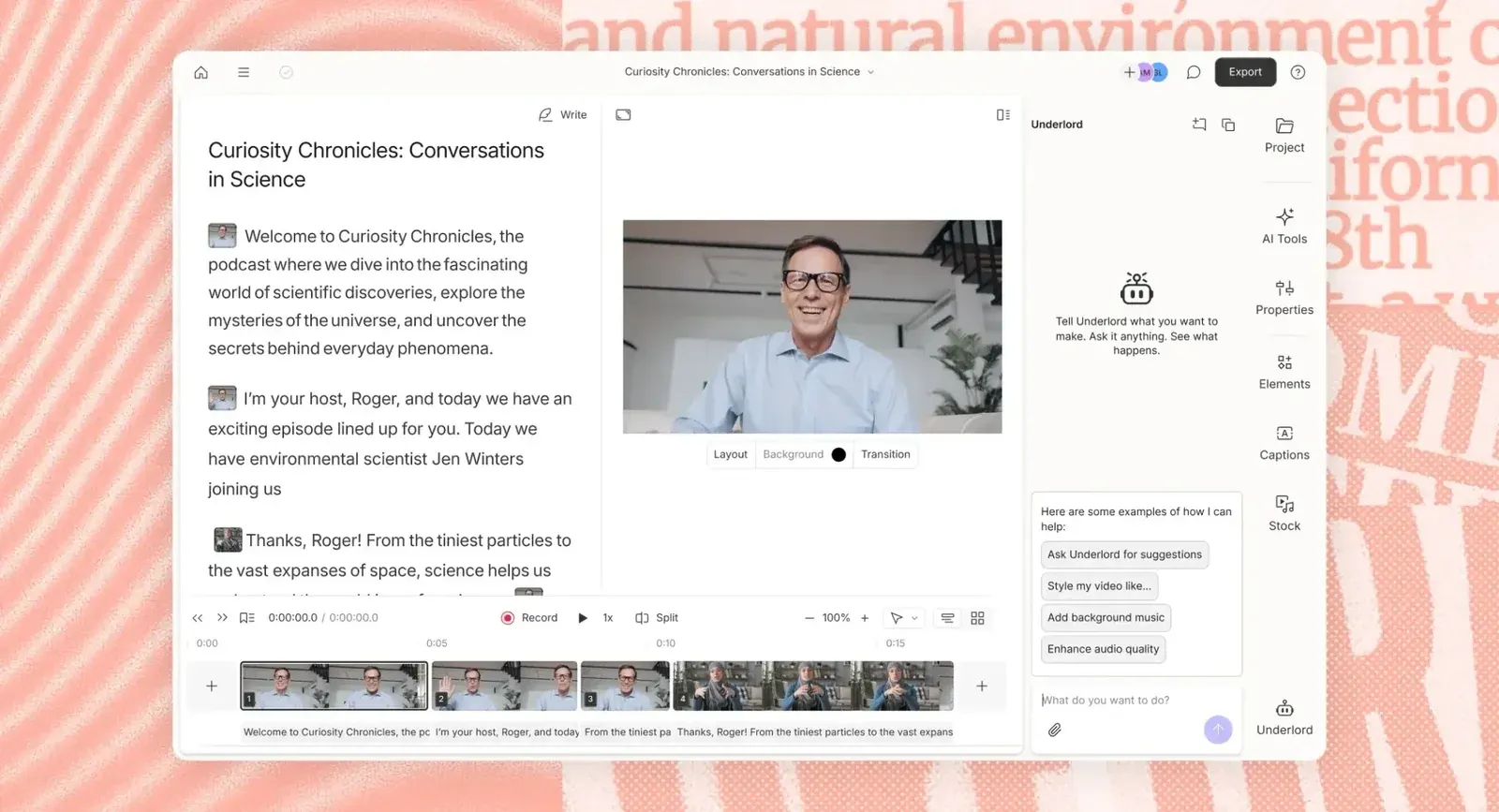
Image: Descript
The free plan includes one hour of media per month and 100 one-time AI credits. Hobbyist costs $16 per month on annual billing or $24 monthly, with 10 hours and 400 AI credits. Creator costs $24 annually or $35 monthly, with 30 hours, 800 credits, and full Underlord access. Business costs $50 annually or $65 monthly, with 40 hours and 1,500 credits.
Where it breaks down: the plan limits matter at volume. Media hours and AI credits are not the same thing, and a busy workflow can move you into a higher tier. Descript is also not the right finishing environment for complex VFX, heavy color work, or detailed timeline composition.
- Best for: talking-head channels, podcasts, and creators who want transcript-based editing
- Skip if: your work depends on cinematic pacing, complex compositing, or advanced color finishing
4. Gling: The YouTube-Native Rough Cutter for Long Dialogue
Gling is the best rough-cut option in this list for long talking-head recordings. It removes bad takes, silences, and filler words before you move the project into Premiere, Final Cut Pro, or DaVinci Resolve.

Image: Gling
Gling's free tier includes one hour of AI-edited media, but exports are watermarked and XML export is not included. Plus costs $10 per month on annual billing or $20 monthly for 10 hours. Pro costs $20 annually or $40 monthly for 30 hours. Elite costs $50 annually or $100 monthly for 100 hours. Paid plans support XML export to Premiere, Final Cut Pro, and Resolve.
Where it breaks down: Gling is dialogue-focused. It is not the right choice for music-led edits, cinematic storytelling, or footage where B-roll and visual rhythm matter more than spoken content. Review the removed pauses before delivery. A dramatic pause and a dead pause can look similar to an automated cutter.
- Best for: creators with long interviews, podcasts, and talking-head recordings
- Skip if: your videos depend on cinematic assembly or music-driven pacing

5. OpusClip: Long-Form to Short-Form With Caveats
OpusClip is a clip finder, not a final editor. It analyzes long-form footage, identifies candidate moments, and creates vertical versions with captions, reframing, and other short-form treatments.
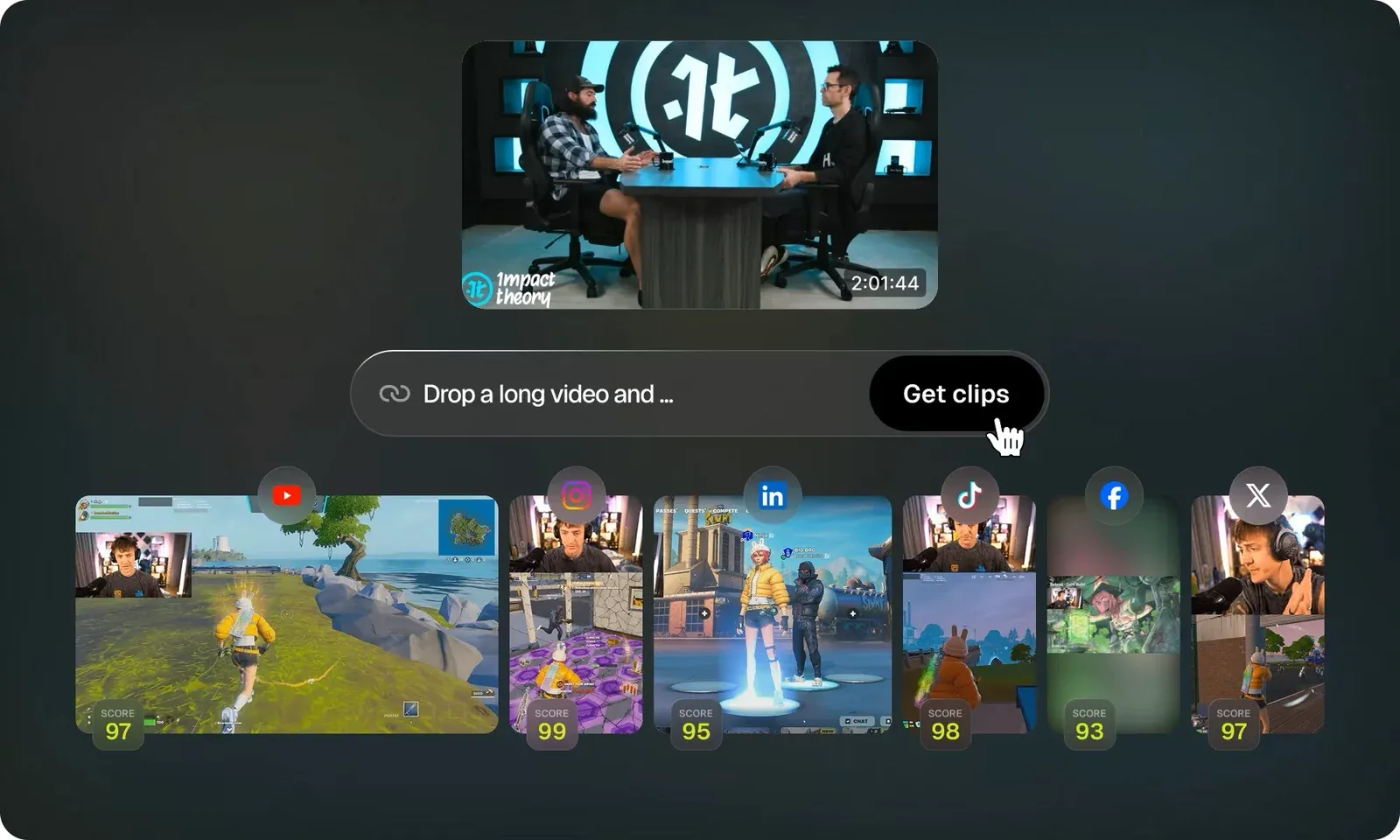
Image: OpusClip
The free plan includes 60 credits per month. Animated caption templates can carry a watermark, and the free plan stores projects for three days. Starter costs $15 per month with monthly billing and includes 150 credits. Pro costs $29 monthly or $14.50 per month on annual billing, with 300 credits and unused credits rolling over for two months. Export to Premiere and DaVinci is available on Pro and Business.
If your workflow is already becoming a production system rather than an occasional upload, compare the cost of more tools with a dedicated YouTube editor. A dedicated placement through TCA costs $1,800 to $3,000 per month, all-inclusive, for one long-term editor.
Where it breaks down: credit-based processing makes high-volume use harder to predict. Its selections still need editorial review, and the tool is not designed for detailed, frame-level finishing.
- Best for: turning interviews, podcasts, and long videos into Shorts candidates
- Skip if: you need a full long-form editor or want every selected clip to be publish-ready
6. Submagic: Captions and Short-Form Polish
Submagic is a finishing layer for short-form video. It focuses on animated captions, AI B-roll, translation, and other treatments that make a vertical clip ready for publishing.
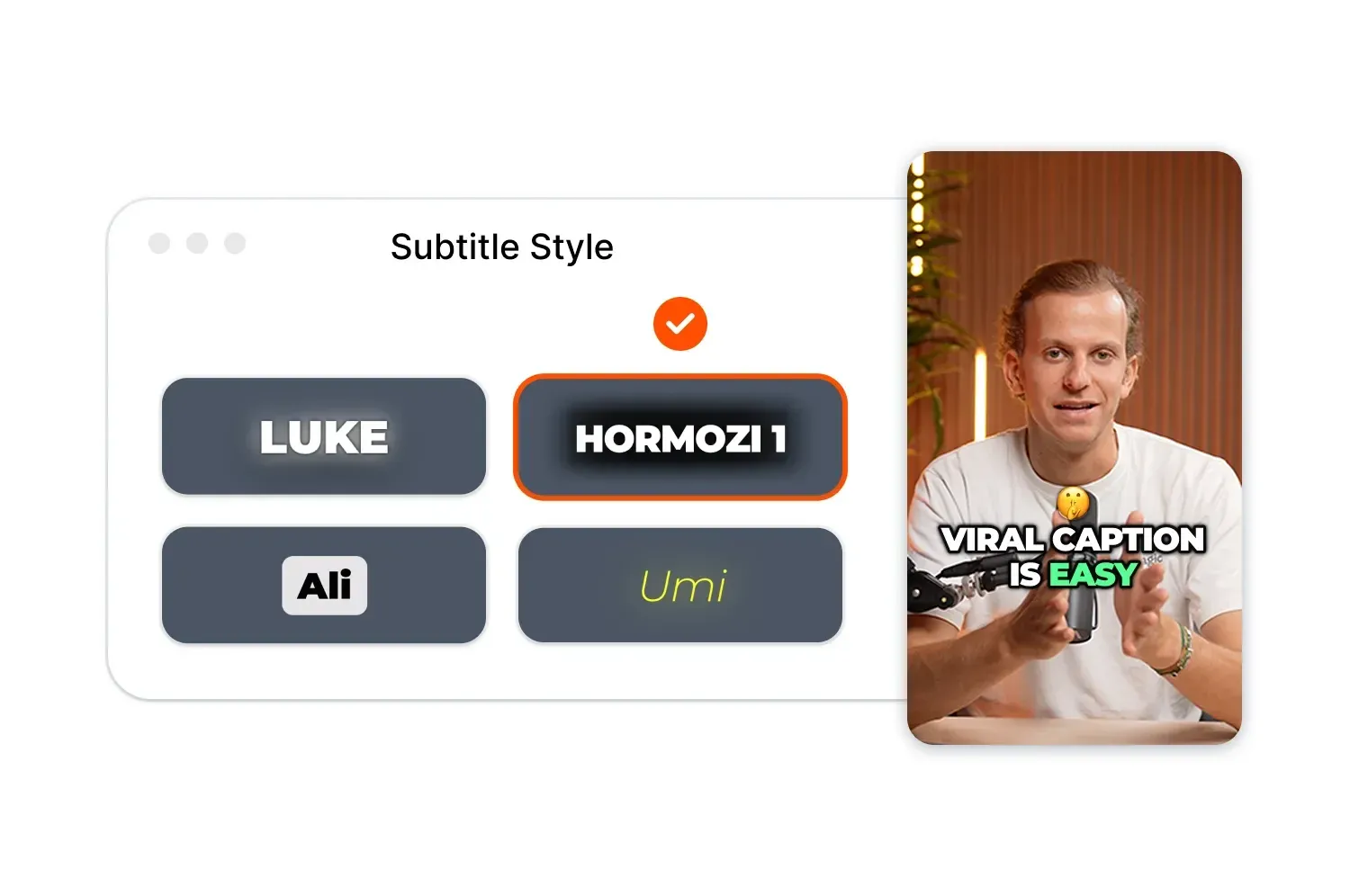
Image: Submagic
Starter costs $12 per month on annual billing or $19 monthly for 15 videos with a two-minute maximum. Pro costs $23 annually or $39 monthly for 40 videos with a five-minute maximum. Business costs $41 annually or $69 monthly for 100 videos with a 30-minute maximum. A free trial is available, but its limits were not captured in the checked pricing record.
Submagic claims 99% caption accuracy in 123 languages.
Where it breaks down: it is not a full rough-cut or long-form editing environment. Manual control is lighter than in CapCut, so creators who want to adjust every caption frame may prefer CapCut.
- Best for: creators publishing several Shorts each week who want consistent caption styling
- Skip if: you publish only long-form or need detailed frame-level control
7. CapCut Desktop: The Free Starting Point for Short-Form
CapCut Desktop is the best free starting point for short-form creators. The vendor offers a free download and lists AI video generation, AI dubbing, long-video-to-Shorts tools, auto captions, AI voice tools, script-to-video features, and AI video upscaling.
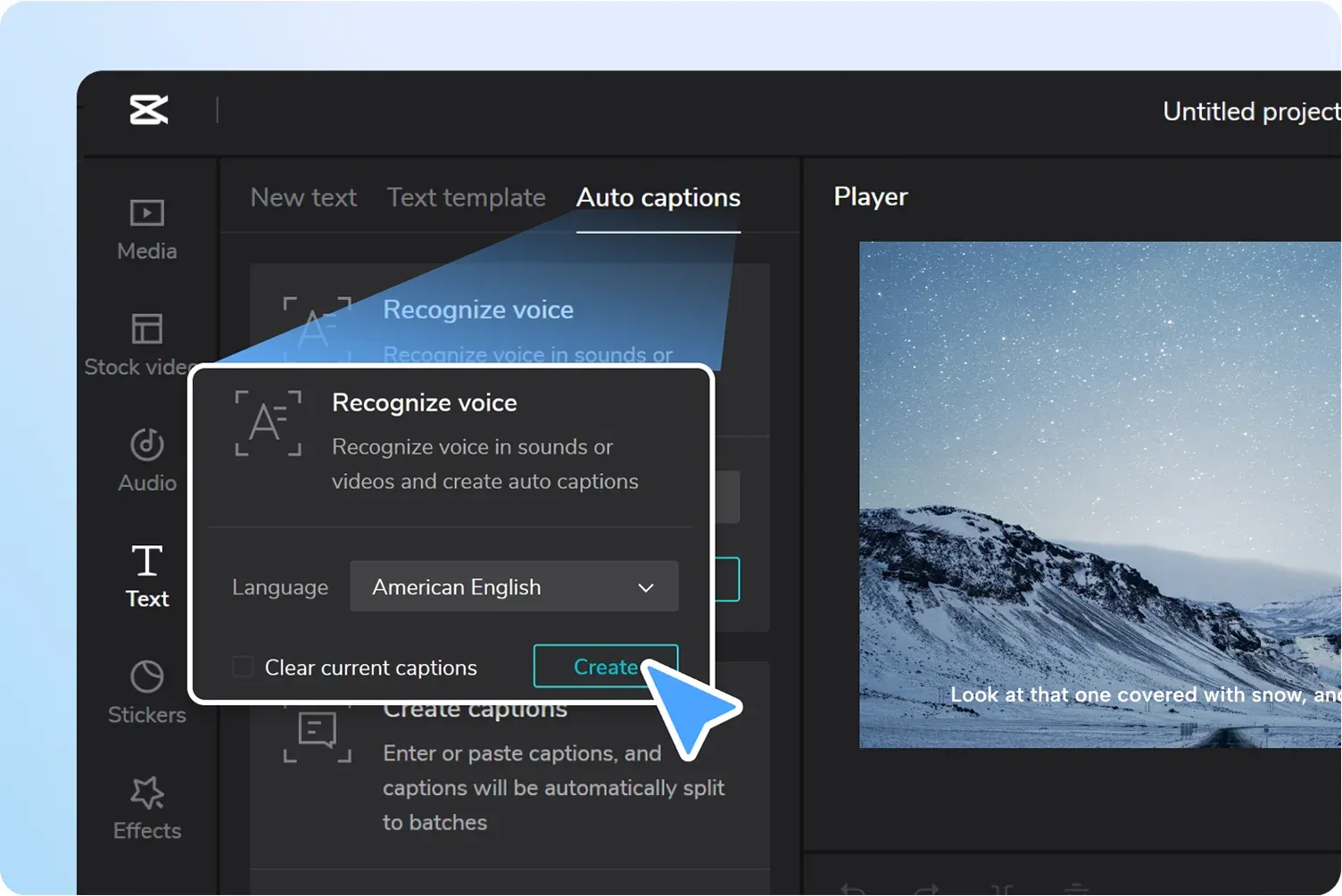
Image: CapCut
The paid Pro plan is available, but the checked CapCut pricing page did not provide a reliable current price. Check the price in the app before budgeting for it.
Where it breaks down: CapCut is a weaker choice for long-form work that needs detailed audio cleanup, complex multitrack organization, or a professional finishing pipeline. Its association with ByteDance may also matter to brand-conscious teams.
- Best for: short-form creators, beginners, and anyone who wants to finish vertical clips without a paid plan
- Skip if: your standard upload is long-form and requires advanced audio or timeline control
8. ElevenLabs: Voice Cloning and Dubbing for YouTube
ElevenLabs belongs in the stack when voice generation, narration, or dubbing is the bottleneck. It supports voice cloning, text-to-speech, and dubbing in more than 90 languages and accents.
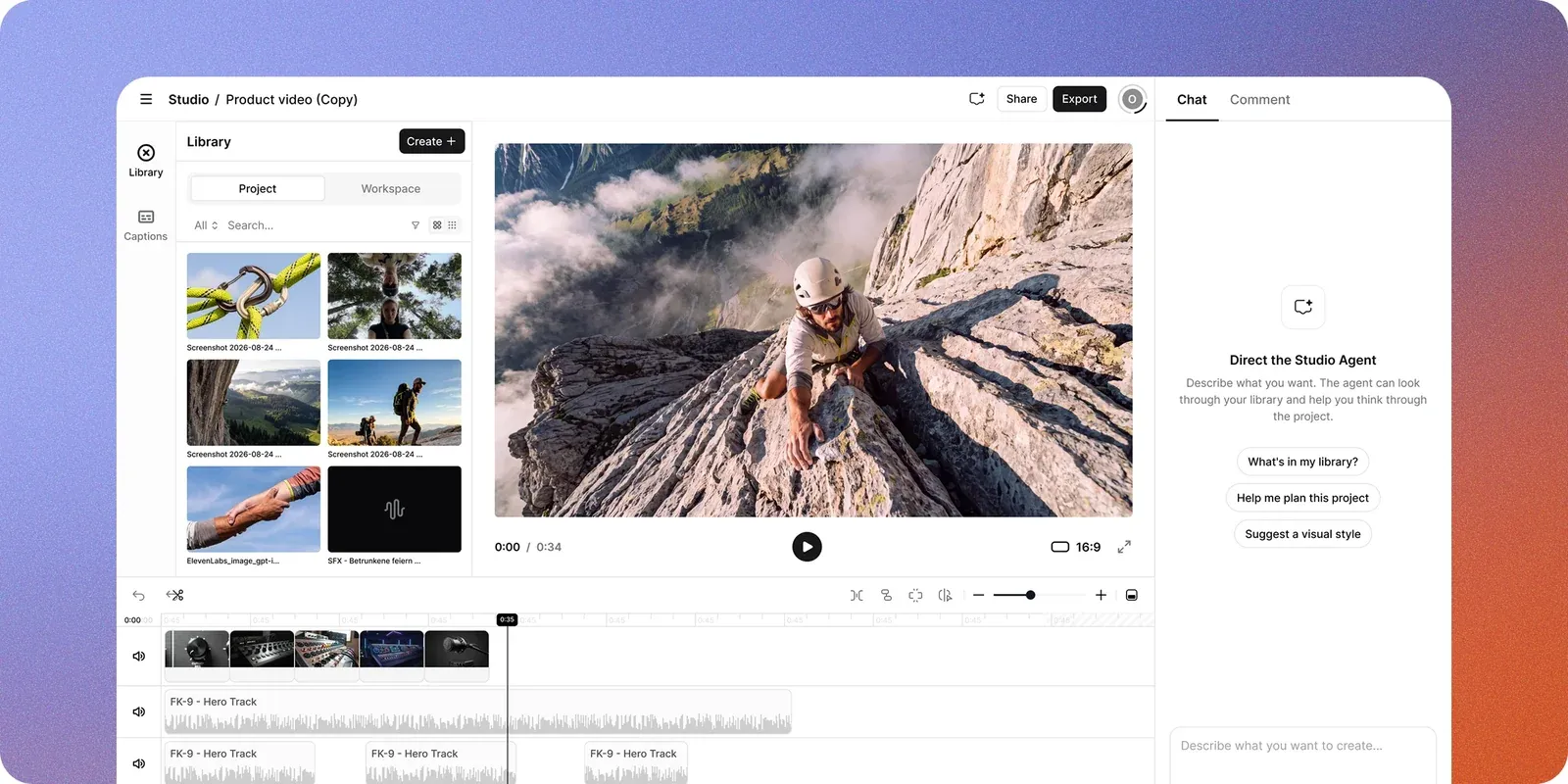
Image: ElevenLabs
The free plan includes 10,000 credits per month and three Studio projects. Starter costs $6 per month with 30,000 credits. Creator costs $22 monthly, with a first-month price of $11 and 121,000 credits. Pro costs $99 monthly with 600,000 credits. Scale costs $299 monthly with 1.8 million credits. Business costs $990 monthly with 6 million credits. Annual billing gives two months free, and unused credits roll over for up to two months, subject to the plan cap.
Creator is the practical tier when you need professional voice cloning or Dubbing Studio.
Where it breaks down: generated voice is not a substitute for editorial judgment or a real performance. On-camera dubbing can feel wrong when the audience knows the creator's face and voice. Test pronunciation of names, products, and technical terms before processing a full video.
- Best for: narration, faceless formats, and multilingual versions
- Skip if: your audience expects the creator's natural voice in every video
9. Runway (Gen-4.5 and Aleph): Generative Video for B-Roll
Runway is primarily a generative video tool with editing and transformation features. Gen-4.5 can create footage from prompts. Aleph 2.0 can add, remove, or transform objects and change the look of existing shots.

Image: Runway
Runway's free plan includes 125 one-time credits. Standard costs $15 monthly or $12 per month on annual billing for 625 credits. Pro costs $35 monthly or $28 annual for 2,250 credits. Max costs $95 monthly or $76 annual for 9,500 credits.
Output matters more than the subscription price. Gen-4.5 uses 12 credits per second, so Standard provides about 52 seconds of Gen-4.5 output before accounting for failed or repeated generations. Check Runway's current pricing and credit rates before planning a production volume.
Where it breaks down: prompt-driven generation has its own learning curve, and repeated attempts consume credits.
- Best for: conceptual B-roll, visual transformations, and creators experimenting with generative footage
- Skip if: your main need is captions, rough cuts, or long-form assembly
10. Eddie AI and Topaz Video AI: Two Niche Tools
Eddie AI is built for multicam interviews and podcasts, with synchronization, automatic angle cuts, B-roll logging, filler removal, captions, and XML export to Premiere Pro, Final Cut Pro, DaVinci Resolve, and Avid.
Eddie uses credits rather than a subscription. New accounts receive 1,000 free credits. Packs cost $10 for 1,000 credits, $45 for 5,000, $120 for 15,000, and $350 for 50,000. The vendor says a three-hour project may use 1,100 to 1,700 credits, depending on the workflow.
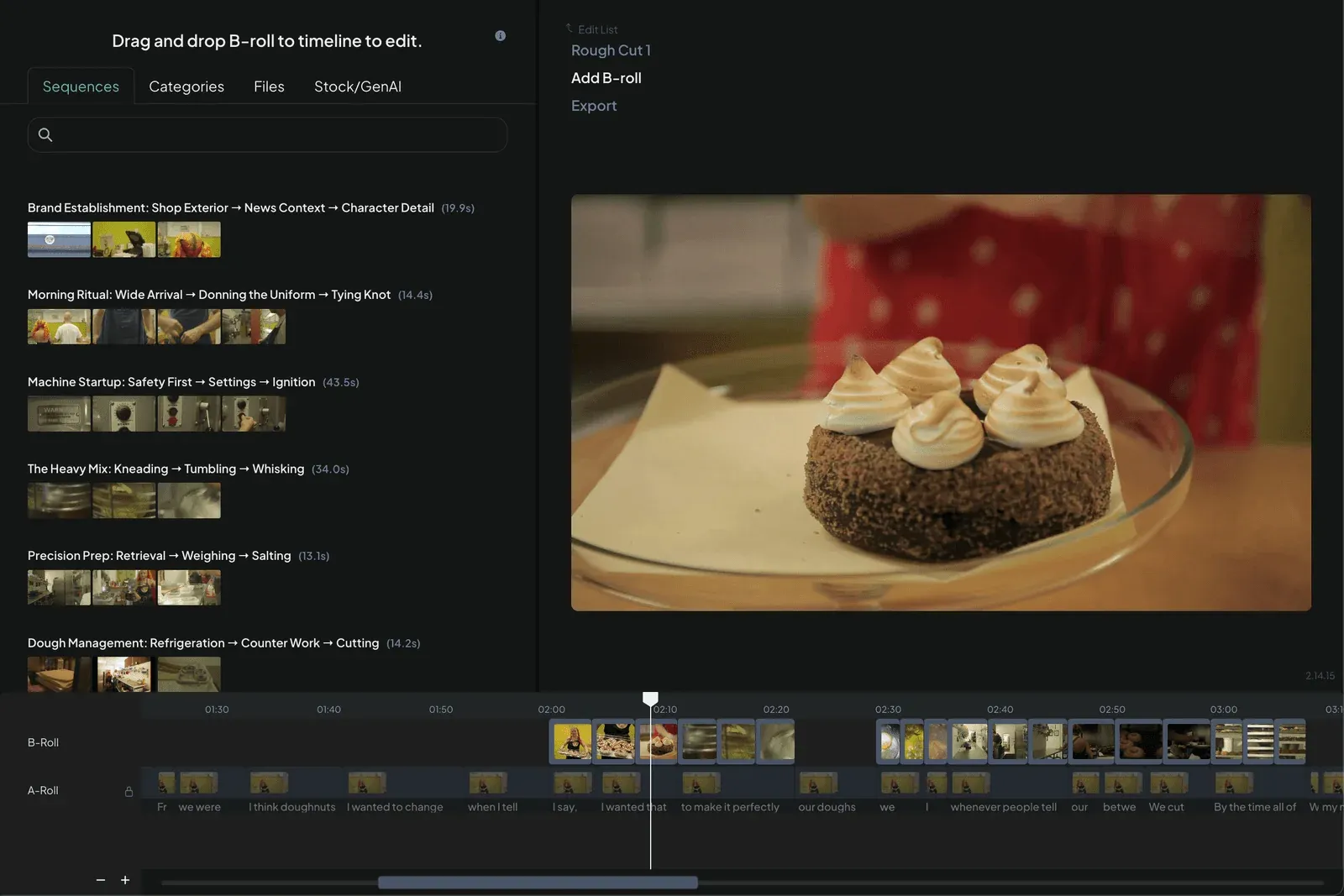
Image: Eddie AI
Topaz Video (formerly Topaz Video AI) is for restoration and enhancement rather than editorial assembly. It supports upscaling, denoising, frame interpolation, stabilization, and SDR to HDR conversion. Personal costs $59 monthly or $299 annually. Pro costs $74 monthly or $699 annually. Commercial use requires Pro.
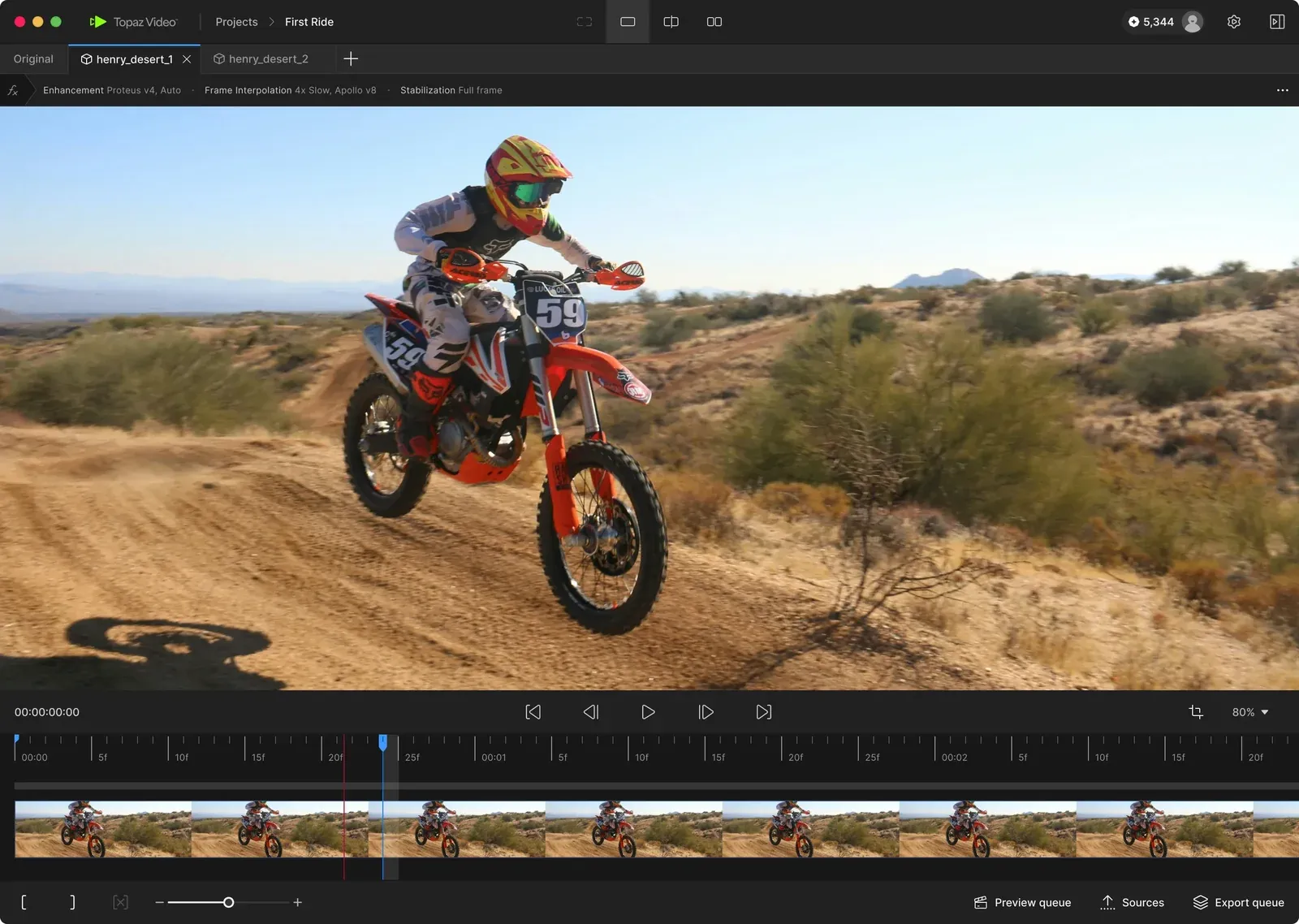
Image: Topaz Labs
Where they break down: neither tool is a general answer to YouTube editing. Eddie is narrow without multicam footage. Topaz is difficult to justify when your source footage is already clean 1080p or 4K.
- Best for: Eddie AI for recurring multicam interviews; Topaz Video for archival restoration
- Skip if: you need a general editor for ordinary single-camera uploads
AI Video Generation Models vs. AI Editing Tools
AI generation models create new footage from a prompt. AI editing tools cut, pace, caption, and assemble footage you already have. The categories overlap, but they are not interchangeable.
Runway Gen-4.5, announced on December 1, 2025, generates video from prompts. Runway Aleph, now Aleph 2.0, changes real or generated shots by adding, removing, or transforming elements. Google Veo 3.1 generates eight-second clips with native audio, including sound effects, ambient sound, and dialogue. Seedance 2.0 is available through Runway, while CapCut's desktop page names Dreamina Seedance 2.5. Adobe Premiere 26.5 also includes a Generative Media Tool for creating video and sound effects inside the timeline.
The distinction affects both workflow and cost. Adobe describes generated media as clips you add “as editable clips to your sequence, so you can continue refining your edit.” Generation supplies a shot. The editor still decides where it belongs, how long it stays, and whether it supports the story.
Generation is usually billed by output seconds. Runway Standard provides about 52 seconds of Gen-4.5 output at the listed credit rate. Editing tools such as Gling and Descript measure your own footage in hours or media limits.
Model availability changes quickly. OpenAI released Sora 2 on September 30, 2025, but the Sora product was no longer available as of April 26, 2026. Read OpenAI's Sora notice before relying on older model roundups.
The Best Free AI Video Editing Tools in 2026
CapCut Desktop is the best free starting point for short-form. It is available as a free download and covers captions, vertical editing, and several AI-assisted features.
DaVinci Resolve has a free version, but the vendor pages place listed Neural Engine features such as Magic Mask, voice isolation, Super Scale, and smart reframe in Studio. The free version remains a capable conventional editor.
Gling offers one hour of free AI-edited media, with watermarked exports and no XML export. Descript offers one hour of media per month and 100 one-time AI credits.
Start with CapCut for free short-form. If you begin cutting long-form dialogue every week, test Gling or Descript rather than forcing a free tool to handle the wrong job.
The Best AI Tools for YouTube Shorts and Short-Form
OpusClip is the starting point for candidate selection. Review the selections before publishing. A clip can be technically clean and still lack a complete thought.
Submagic and CapCut handle the finishing step. Submagic is better when consistent animated captions are the priority. CapCut is the better free option when you want more manual control over timing and layout.
The practical sequence is OpusClip to find the moment, then CapCut or Submagic to finish it. If you want a deeper production process for Shorts, continue with this guide on YouTube Shorts editing workflows.

FAQ: What YouTube Creators Actually Want to Know About AI Editing
Will AI editing tools hurt my YouTube retention?
They can if they remove intentional pauses, flatten comedic timing, or cut around a sentence without understanding the point. Use AI for transcription, rough cuts, and candidate clips. Then review removed pauses and rebuild the final pacing around the story.
Should I learn AI tools or hire an editor who already uses them?
If your workflow is light and you enjoy editing, a small stack can be enough. If several tools, repeated revisions, or weekly uploads are taking time away from the channel, compare that management cost with a dedicated person. Our guides to choosing between freelance, agency, and placement models and onboarding a YouTube editor cover the decision and the handoff.
The placement includes a paid trial, onboarding through the first 30, 60, and 90 days with client input, and a 30-day replacement guarantee.
What does a full creator AI stack actually cost per month?
A lean stack is Gling at $10 per month on annual billing plus CapCut free. That is $10 monthly, or $20 if Gling is billed monthly.
A standard stack is Gling at $10 annual billing, Premiere at $22.99 monthly on an annual plan, and OpusClip Starter at $15 monthly. That totals $47.99 per month.
A fuller stack adds ElevenLabs Creator at $22 monthly, bringing the total to $69.99 per month. A comparable stack using DaVinci Resolve Studio instead of Premiere costs $295 once, then $47 monthly for Gling, OpusClip, and ElevenLabs.
For a broader comparison with an editor's monthly cost, see our YouTube video editor cost guide.
Can I trust AI captions for accessibility and monetization?
Partially. Submagic claims 99% accuracy in 123 languages, but that is a vendor claim and not a guarantee for every accent or subject. Technical terms, names, jargon, and overlapping speakers still create errors.
Review captions manually before publishing. Correct proper nouns, product names, numbers, and any line where a mistake changes the meaning. Treat captions as an accessibility deliverable, not just a visual effect.
Will YouTube demonetize my channel for using AI editing tools?
Not simply for using an AI editing tool. YouTube's July 15, 2025 policy update focuses on inauthentic content, including output that is mass-produced, generic, repetitive, or manipulative.
The useful distinction is between AI-assisted production and unattended production. AI can remove pauses or prepare captions while you provide the topic, footage, judgment, and final edit.
Does AI replace the need for an editor?
No. AI can speed up mechanical tasks and suggest options. It does not reliably replace the person who understands the channel, chooses the strongest material, protects the creator's voice, and decides whether a cut improves the story.
Use Gling, Descript, OpusClip, or another tool for the repetitive pass. Keep a human responsible for the final pacing, structure, and publishing decision.