If editing is taking time away from filming, scripting, or running your business, the answer is usually not to find the cheapest editor. It is to define the work clearly, compare candidates on the same test, and set up the relationship before the first upload.
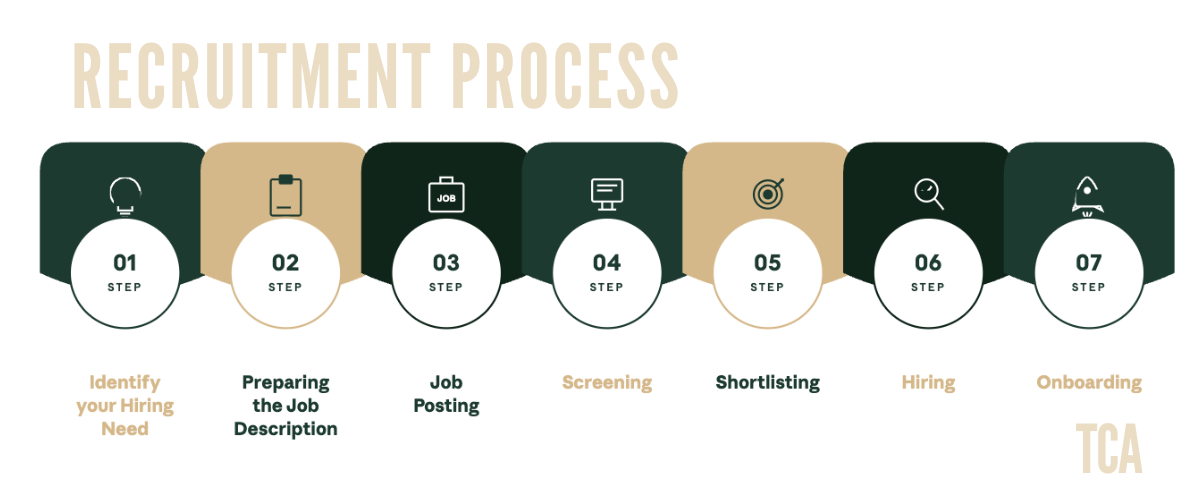
The complete process usually takes about two to three weeks:
- Define the role and budget.
- Write a specific job post.
- Find candidates in the right places.
- Screen portfolios and applications.
- Run a paid trial with the strongest two or three candidates.
- Interview the finalists.
- Sign an agreement and make the offer.
- Onboard the editor and review the fit at 30 days.
Each step below covers what to put in the trial brief, what the contract should include, and what to do if the first month is not working.
Want an editor who actually sticks around?
We place dedicated YouTube video editors from the Philippines and South Africa, matched to your channel. Flat monthly, long-term, no rotating freelancers.
Process at a glance
Use this as a working schedule. The timing is a planning estimate. Some searches will move faster or slower.
| Step | What you do | Typical timing |
|---|---|---|
| Decide the content type, workload, quality bar, and budget | Half a day |
| Describe the channel, deliverables, workflow, and one qualifying question | Half a day |
| Post to selected platforms and contact relevant editors | 2–4 days |
| Review portfolio relevance, communication, and availability | 1–2 days |
| Give the same brief and footage to the top two or three candidates | 2–3 days |
| Ask about workflow, feedback, deadlines, and YouTube editing decisions | 1 day |
| Agree on payment, revisions, ownership, confidentiality, and start date | 1–3 days |
| Share the channel system, complete the first edit, and set review points | First 30 days |
The process can be shorter when you use a placement service, or longer when you are filtering a large applicant pool yourself. Do not skip the paid trial to save a day. A rushed choice can cost much more time later.
Signs you are ready for an editor
You do not need to wait for a particular subscriber count. Ask instead whether editing is now the constraint on the rest of your work.
Look for these signals:
- Editing takes a large part of your week. A finished minute can take roughly 30 minutes to two hours to edit, depending on the footage, storytelling, graphics, sound design, and polish required. A simple talking-head edit and a documentary-style edit should not be budgeted the same way.
- Your opportunity cost is higher than the editing cost. Multiply your reasonable hourly business value by the hours you spend editing each week, then multiply by four. The number is not a revenue forecast, just a way to see what those hours could do elsewhere.
- Your upload schedule is becoming difficult to maintain. If you are filming, scripting, managing sponsors, publishing, and editing several videos a month, one task will eventually delay the others.
- The channel has a repeatable format. An editor can work faster when you already know the audience, video structure, visual style, and publishing cadence you want.
- Editing is creating avoidance. You postpone filming because you are thinking about the unfinished timeline behind it. That is a workflow problem, not a motivation problem.
If your workload is occasional or still changing substantially, a per-video freelancer may be a better first step. If you have a stable cadence and want one person to learn your channel, consider a dedicated arrangement.
Step 1: Define the role and budget
Before you look at portfolios, write down what the editor will actually do.
A general video editor may assemble footage, remove mistakes, clean up audio, add captions, apply basic color correction, and export the final file. A YouTube-focused editor may also help shape the opening, improve pacing, select B-roll, create chapters, identify moments for Shorts, and use retention data to inform later edits.
Neither role is automatically better. The right scope depends on your channel.
Answer these questions:
- What type of videos do you publish?
- What is the usual finished length?
- How much raw footage arrives for each video?
- How many long-form videos and Shorts do you publish each month?
- Do you need basic assembly, retention-focused editing, motion graphics, or all three?
- Who supplies B-roll, music, captions, thumbnails, and scripts?
- How many revision rounds should the rate include?
- What turnaround can your production schedule support?
- Which software and file formats are required?
- Does the editor need to attend live calls, or can the work run asynchronously?
For a Shorts-first channel, the role is different from a long-form interview channel. If Shorts are the main workload, use our guide to hiring a YouTube Shorts editor.
Decide whether the editor owns decisions or follows instructions
This distinction belongs in the job post.
A production editor follows a detailed brief and delivers a clean, consistent cut. A creative YouTube editor is expected to question a slow opening, suggest a stronger sequence, or flag a confusing section. The second role requires more judgment and usually a stronger portfolio.
Do not ask for strategic editorial judgment while budgeting for basic assembly. That mismatch creates poor applications, disappointing trials, and unnecessary revisions.
Choosing a hiring model
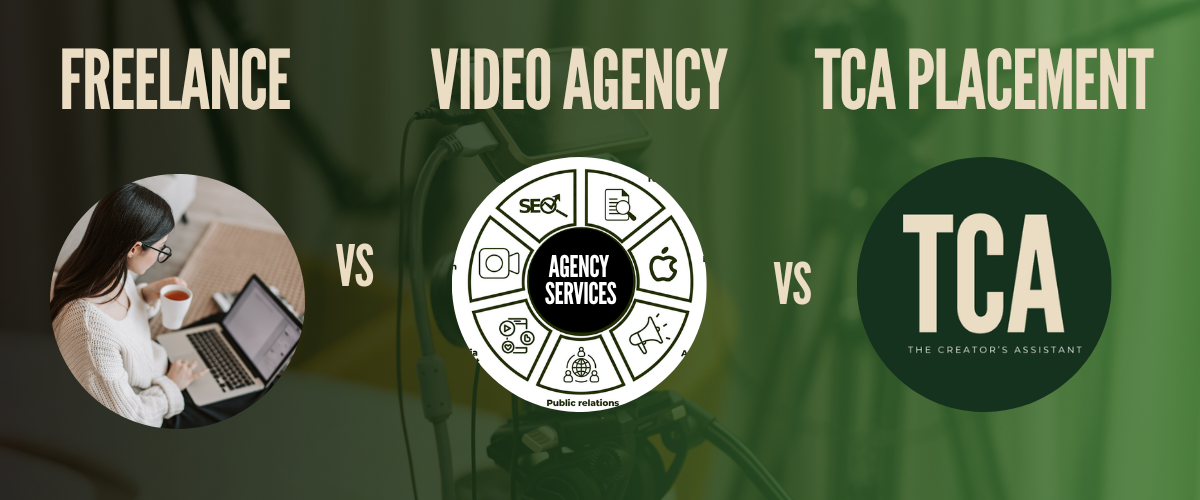
There are four common ways to structure the relationship. Compare them by workload, consistency, management, and risk, not just the first quote.
| Model | Typical cost reference | Best fit | Main tradeoff |
|---|---|---|---|
Freelance, per video | $30–$150 for standard work; $200–$600 for retention-focused long-form | Variable volume, one-off projects, or an initial test | You manage availability, revisions, and continuity |
Agency or subscription | About $350–$2,000 per month, depending on the service and scope | Predictable production where a team or queue is acceptable | The person editing your video may change |
Full-time in-house | About $5,400–$8,800 per month fully loaded in the US | Consistent volume and a business ready to manage payroll and employment obligations | Highest operating cost and internal responsibility |
Dedicated placement | TCA's range is $1,800–$3,000 per month, all-inclusive | A long-term editor who learns one channel | It is designed for an ongoing relationship, not occasional projects |
These figures are broad market reference points, not quotes for every type of edit. See the detailed freelance, agency, and placement comparison before choosing.
Dedicated placement is the category we operate in. We source talent from the Philippines and South Africa, use a paid trial before placement, and support onboarding through the first 30, 60, and 90 days. Other models may suit you better if your volume is irregular or you want to test several editing styles.
Setting your budget
A standard talking-head or vlog edit may fall around $50–$150 per video. Retention-focused long-form work commonly falls around $200–$600. Shorts range from simple, low-cost clips to much more expensive motion-graphics work.
For international remote hiring, the broader market includes Filipino editors at roughly $5–$20 per hour and dedicated offshore arrangements around $1,500–$3,500 per month. TCA's dedicated placement range is $1,800–$3,000 per month, all-inclusive.
Your quote should state what is included:
- Raw footage review and organization
- Editing and audio cleanup
- Captions and graphics
- B-roll sourcing
- Thumbnail support
- Shorts or other cutdowns
- Number of revision rounds
- Turnaround time
- Project file delivery
- Rush work and extra fees
A low quote with unclear scope is not necessarily a low-cost quote. Use the YouTube video editor cost guide for the longer breakdown by content type, hiring model, and rate structure.
Step 2: Write a job post that filters for fit
A vague post attracts vague applications. Give candidates enough information to decide whether the work fits them.
Use a specific title
Include the format, niche, and expected length. For example:
Video editor for weekly personal finance videos, 10–12 minutes
That is more useful than “YouTube editor wanted.” It helps candidates with relevant experience recognize the opportunity and gives unsuitable applicants a reason to move on.
Explain the channel
Include:
- Your niche and audience
- The channel's current format
- The tone you want
- Links to two or three representative videos
- What you like and dislike about those videos
- The publishing schedule
- The expected start date
Describe deliverables
State what the editor receives and what they must return. For example:
- One finished 16:9 video
- Captions or on-screen text
- Audio cleanup
- B-roll and graphics where appropriate
- One or two revision rounds
- A project file and final export
- Optional vertical cutdowns
Mention whether the editor is expected to use your assets, find licensed assets, or create new graphics.
For a ready-made structure, use the YouTube video editor job description guide.
Add one qualifying question
Ask a question that requires the candidate to read the post and think about your channel. Examples:
- Which part of the reference videos would you approach differently, and why?
- How would you edit the opening of this type of video?
- What would you need to know before estimating the turnaround?
- Which part of your portfolio is closest to this work?
The question is a useful first signal, not a scientific filter. A thoughtful answer is more informative than a generic “I am interested.”
Step 3: Find candidates in the right places
Use the source that matches the arrangement you want.
- OnlineJobs.ph: Useful for direct access to candidates in the Philippines. Its employer plans list Pro at $69 per month and Premium at $99 per month. You pay the editor directly, so set the payment and ownership terms yourself. For more context, see our guide to hiring a Filipino YouTube video editor.
- Upwork: Useful for global freelance projects and an established platform workflow. The Basic plan's client marketplace fee can be up to 7.99%, or 3% for eligible US clients paying by bank account. Check the current fee terms before budgeting.
- Fiverr: Useful for a small, defined test or one-off edit. Quality and scope vary considerably, so do not assume a marketplace rating predicts how the editor will handle an ongoing channel.
- YT Jobs and YT.Careers: Useful when you want candidates who are already looking for YouTube-related work.
- LinkedIn and referrals: Useful for mid-level or senior candidates, especially when you can ask someone in your network about their working style.
- Direct outreach: If you admire an editor's work, contact them with a specific reason. They may be booked, but the conversation can still produce a referral.
- Placement: Useful when you want sourcing and vetting support for a dedicated, long-term arrangement.
The full list of places to find YouTube video editors covers the advantages and drawbacks of each route.
Step 4: Screen applications and portfolios
Treat the portfolio as the starting point for the decision.
Look for five things:
- Relevant content. Has the editor worked on videos with a similar structure, audience, or level of complexity?
- A clear opening. Does the first section establish the promise quickly, or does it take too long to begin?
- Pacing that serves the material. Fast cuts are not automatically good editing. Look for choices that match the subject and audience.
- Readable visual treatment. Check captions, on-screen text, graphics, and mobile readability.
- Clean sound. Listen for distracting noise, uneven dialogue levels, abrupt music changes, or effects that compete with the voice.
Also check whether the portfolio represents the person who will actually edit your videos. Some services show team work, while a direct freelancer may show work completed for a previous employer.
Ask candidates to explain one decision in a portfolio piece. A useful answer connects the decision to the audience, story, or brief. “The client wanted it that way” tells you less than an explanation of why a cut, graphic, or pause belongs in that moment.
Step 5: Run a paid trial
A paid trial is the most useful comparison point in the process. It lets you evaluate the work itself rather than relying on a reel.
Keep the trial small, optional, and paid. Give the top two or three candidates the same footage and the same brief so the comparison is meaningful.
Trial brief
Include:
- A short description of the audience
- The purpose of the video
- Raw footage and required assets
- One or two reference videos
- The expected finished length
- Required format, such as 16:9 or 9:16
- Caption, graphics, and B-roll expectations
- The deadline, such as 48–72 hours
- The payment amount
- The number of included revision rounds
- The files you expect back
You can ask for a short section rather than a full video. The goal is to see the candidate's judgment, communication, and process without asking for a large unpaid sample.
Trial scorecard
Score the submissions against the same criteria:
- Story flow and pacing
- Strength of the opening
- Audio clarity
- Caption and graphic readability
- Use of B-roll and visual variety
- Accuracy to the brief
- File organization and export quality
- Communication and response to feedback
Notice how the candidate works, not only how polished the final cut looks. Did they ask useful questions? Did they flag a missing asset? Did they communicate before the deadline? Did they handle a revision without becoming defensive?
YouTube's recommended encoding settings specify H.264 in an MP4 container. For SDR uploads, YouTube lists 12 Mbps for 1080p at 48–60 frames per second, 8 Mbps for 1080p at 24–30 frames per second, 35–45 Mbps for 4K at 24–30 frames per second, and 53–68 Mbps for 4K at 48–60 frames per second. Check YouTube's current encoding guidance when you finalize your delivery specifications.
Step 6: Interview the finalists
You do not need to ask every possible question. Ask enough to understand how the candidate thinks and works.
- How would you approach the opening of one of our videos? Look for a discussion of the promise, context, clarity, and pace. Do not require a particular retention statistic.
- Walk us through your process from raw footage to final export. The answer should cover organization, rough cut, review, audio, graphics, revisions, and export.
- How do you use feedback or analytics to improve the next edit? A strong candidate can accept timestamped feedback and use audience information without treating every metric as an editing instruction.
- What happens if you are going to miss a deadline? Look for advance communication and a realistic recovery plan, not a claim that delays never happen.
- How do you handle a creative disagreement? You want someone who can explain a concern, then execute the agreed direction.
- How many clients or projects are you handling now? The answer helps you judge whether the proposed turnaround is realistic.
Use a simple scorecard and write down the answer to each question immediately. That prevents the most polished interview from overpowering the strongest evidence from the trial.
For a larger question bank, see 25 interview questions for YouTube video editors.
Warning signs during the process
No single warning sign proves that a candidate will fail. Several of these together should slow the process down.
- The candidate cannot show work similar to your format or explain their decisions.
- They accept the trial without asking what the video is meant to achieve.
- They avoid defining what the rate includes.
- They miss the trial deadline without communicating in advance.
- They react defensively to specific, reasonable feedback.
The full 12 red flags to watch for when hiring a YouTube video editor goes deeper on each one.
Step 7: Sign the agreement before work begins
A written agreement should make the working relationship clear. It is not a substitute for advice from a qualified attorney, especially when you and the editor are in different countries.
1. Copyright and deliverables
In the United States, an independent contractor's work is “made for hire” only when the work falls within one of the statutory categories and the parties sign a written agreement. An audiovisual work can qualify, but simply calling something work made for hire does not settle every ownership question.
Use a work-made-for-hire clause where appropriate, plus a backup copyright assignment. State that the creator receives the final video, project files, graphics, and other agreed deliverables. Require delivery of those project files at the agreed point.
The creator retains copyright in their own footage. Without a clear written agreement, the editor may retain copyright in the creative edit or other original contributions. For a commissioned work under the Philippines' copyright law, the person who made the work, here the editor, generally keeps the copyright unless there is a written stipulation to the contrary. You can review the US Copyright Office's Circular 30, then ask an attorney to draft language for your situation.
2. Raw footage and asset use
State who owns the source footage, graphics, scripts, music, and other supplied assets. Explain whether the editor may use completed work in a portfolio and whether unpublished footage may be stored after the project ends.
3. Confidentiality
Cover unpublished videos, scripts, sponsor information, analytics, revenue details, and channel strategy. State how long confidentiality obligations continue after the relationship ends.
4. Revisions
Define the number of included rounds, what counts as a revision, what counts as a new request, and where feedback must be submitted. Timestamped comments make disagreements easier to resolve.
5. Termination
State how either party can end the relationship, what notice is required, and how unfinished work and files will be returned. If there is a trial period, define it clearly.
6. Payment
Include the currency, amount, schedule, payment method, and treatment of late payments or approved extra work. Wise, PayPal, and Deel may be options depending on the arrangement. For a foreign contractor, ask an accountant whether you need a Form W-8BEN or other documentation. The IRS instructions for Forms W-8 are a starting point, not individualized tax advice.
7. Governing law and dispute terms
State which law governs the agreement and how disputes will be handled. Choosing your home jurisdiction may be practical, but enforcement across borders can still be difficult.
Step 8: Onboard the editor
A good onboarding system gives the editor enough context to make decisions without asking you to repeat the same answer on every project.
First week: provide the foundation
Send:
- A style guide with fonts, colors, graphics, captions, and examples
- Three to five finished videos with timestamped notes
- Raw footage, templates, music licenses, and folder conventions
- A description of the audience and channel promise
- The publishing cadence and approval process
- Communication channels and expected response times
- A simpler first assignment than your most complex format
The editor should know what “good” means before opening the first project.
First 30 days: calibrate the workflow
Review the first edit with specific, timestamped comments. Explain the reason behind important changes, especially when the editor is expected to make creative decisions later.
Set milestone deadlines for the rough cut, graphics, review, and final export. Share relevant YouTube Studio information when it can help the editor understand what viewers respond to. Keep the focus on useful patterns rather than asking the editor to chase every metric.
A practical rule of thumb is to expect the first project to land at roughly 70 to 80 percent of your style. The purpose of the first month is to improve the brief, style guide, and working rhythm as well as the edit.
For the full system, see how to onboard a YouTube video editor.

If it is not working in the first 30 days
Do not treat every disappointing first edit as proof that the candidate lacks skill. First separate a brief problem from a capability problem.
If the brief is unclear
Rewrite the deliverables, add reference timestamps, clarify the audience, and define what the editor can decide without approval. Run one more edit with the revised instructions.
If the workflow is the problem
Set one place for feedback, one owner for approvals, and milestone deadlines instead of a single final deadline. Confirm that the editor has the files, software, and access needed to work.
If the skill is the problem
Compare the trial scorecard with the first projects. If the candidate consistently misses the required level of pacing, storytelling, audio, or technical quality after clear feedback, the role may be above their current level.
Make the decision at the 30-day review:
- Continue with a written adjustment plan if the gap is narrow and improving.
- Change the scope if the editor is strong at some tasks but not others.
- End the arrangement if the core requirements remain unmet.
- Run a replacement search if the role still matters to your publishing schedule.
TCA offers a 30-day replacement guarantee when a placement is not the right fit in the first 30 days. That is one option for reducing the risk of a dedicated placement. Other hiring models need their own replacement and termination terms in writing.
Managing the relationship long term
Good editing relationships need structure, not constant supervision.
- Pay on time. Predictable payment is part of the working relationship, not an administrative detail.
- Review rates when the scope changes. If the channel adds formats, volume, responsibility, or strategic input, revisit the agreement rather than quietly expanding the role.
- Share useful analytics. Show which videos performed well and discuss what the editor can learn from them. Use analytics to inform the work. Do not turn every edit into a blame exercise.
- Ask for creative input. Once the editor understands the channel, ask what they would change and why. You can disagree while still making room for useful judgment.
- Keep the style guide current. Add new examples and decisions as the channel evolves. A backup system also makes future transitions less painful.
- Increase autonomy deliberately. Move from timestamp-level direction toward a clear brief and defined outcome as the editor demonstrates reliable judgment.
Common questions
How long does it take to hire a YouTube video editor?
A self-managed search can take about two to three weeks when the role is clear, candidates are available, and you use a paid trial. Allow time for the job post, screening, two or three trial edits, interviews, contract details, and onboarding. TCA's placement timeline is 14 days or less from the first call to the placed person's first day.
How much does a YouTube video editor cost?
Standard freelance work is often around $30–$150 per video, while retention-focused long-form work may be around $200–$600. Dedicated offshore arrangements commonly fall around $1,500–$3,500 per month in the broader market. TCA's flat, all-inclusive range is $1,800–$3,000 per month. See the YouTube video editor cost guide for more detail.
Should I pay per video or monthly?
Pay per video when your volume or scope changes often and you want flexibility. A monthly arrangement makes more sense when the editor has a predictable workload, recurring responsibilities, and a style worth learning. Compare the total scope, revision limits, availability, and management time rather than comparing only the headline rate.
Should I use the same footage for every trial?
Yes, when you are comparing finalists. Give each candidate the same short brief, footage, assets, deadline, and payment. This makes differences in judgment and execution easier to see. Keep the test small and pay everyone for the work.
Do I need a contract with an overseas editor?
Yes. Cover deliverables, copyright, project files, confidentiality, revisions, payment, termination, and governing law. Copyright and tax rules vary by jurisdiction, so have an attorney and accountant review the agreement when the arrangement requires it.
What should I do if the editor is good but the first edits are not?
Check the brief, reference material, file access, and feedback process before ending the relationship. Give one clear reset with specific examples and a defined review point. If the work does not improve after that, change the scope or end the arrangement.
How do AI tools affect the role?
AI tools can help with tasks such as transcription, filler-word removal, audio cleanup, and Shorts selection. They do not remove the need to judge story, pacing, context, tone, and brand fit. Ask candidates which tools they use and where they still make decisions manually. The AI video editing tools guide covers current options.
Final thoughts
The hiring decision becomes much easier when the process is specific. Define the role before you search, show candidates what the channel needs, compare the same paid trial, and put ownership and revisions in writing.
The first month tests the editor, and it also tests the system you give them. Pay on time, give timestamped feedback, share useful context, and keep the style guide current. Those habits give a long-term working relationship a better chance, though not every match will work.
If you want a dedicated editor without running the entire search yourself, hire a dedicated YouTube editor through our placement service. We offer flat pricing of $1,800–$3,000 per month, all-inclusive, source talent from the Philippines and South Africa, use a paid trial before placement, and support onboarding through the first 30, 60, and 90 days.
Get started when you are ready to discuss the fit.